
Turn Conversations into Organized Websites
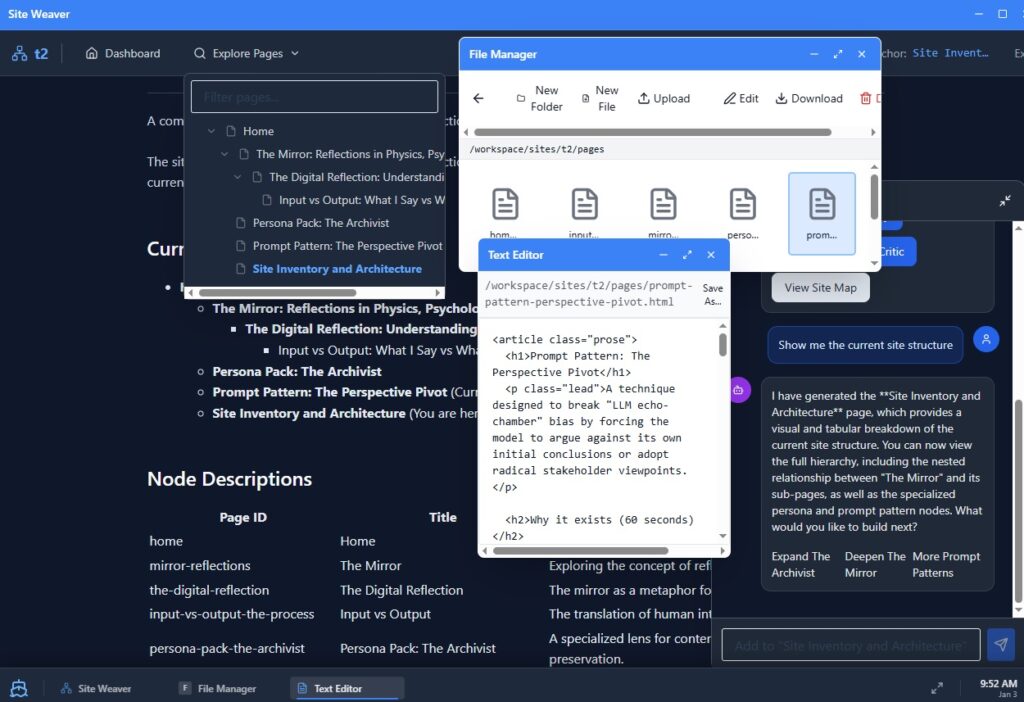
Tired of losing ideas in endless chat logs? 3AI Desktop: Site Weaver Edition transforms your conversations into navigable websites with memory. Keep your context intact and produce real pages you own—not just chat transcripts.
Get Started
Ready to experience 3AI Desktop? Join our open beta and be among the first to build AI-powered websites with memory.
Site Weaver Prompting notes

Prompting Site Weaver
Get great results today (even before system-prompt editing ships)
Right now, Site Weaver ships with a fixed page-first system behavior: it wants to turn your request into a durable page rather than a temporary chat reply.
That’s not a limitation—it’s the whole point.
But it does mean: if you ask for behavior that fights the “page-first” rule, it may translate your request into a page about that concept instead of doing it literally.
Important disclaimer (temporary)
System message editing is not active in this build yet (known issue; planned for the next update).
You can still steer behavior—you just do it through prompt patterns that work with the page-first rules.
The easiest way to prompt Site Weaver
Use this formula:
One deliverable + clear structure + scope limits
Example:
“Create a page titled ‘X’. Include sections A/B/C, a checklist, and a table. Keep it short and user-facing. No web search.”
Copy/paste prompt recipes
1) Pricing page
Create a pricing page for [Product] with three tiers (Starter, Pro, Enterprise). Include a feature comparison table and a short billing FAQ. Keep it concise and scannable.
2) FAQ page
Generate an FAQ page for [Feature/Service] answering the top 7 questions (setup, pricing, privacy, export, support, reliability, limits). Add a “Quick Answer” line for each question.
3) Troubleshooting guide
Build a troubleshooting guide for [Issue] using: Symptoms → Likely Causes → Fix Steps → “If it still fails” escalation checklist. No web search.
4) Update an existing page safely (no overwrites)
Update the page “[PAGE TITLE]”. Rules: preserve everything already there. Append a new section titled “[NEW SECTION]” at the end. Keep style consistent.
5) Prompt Library entry (teach users how to prompt)
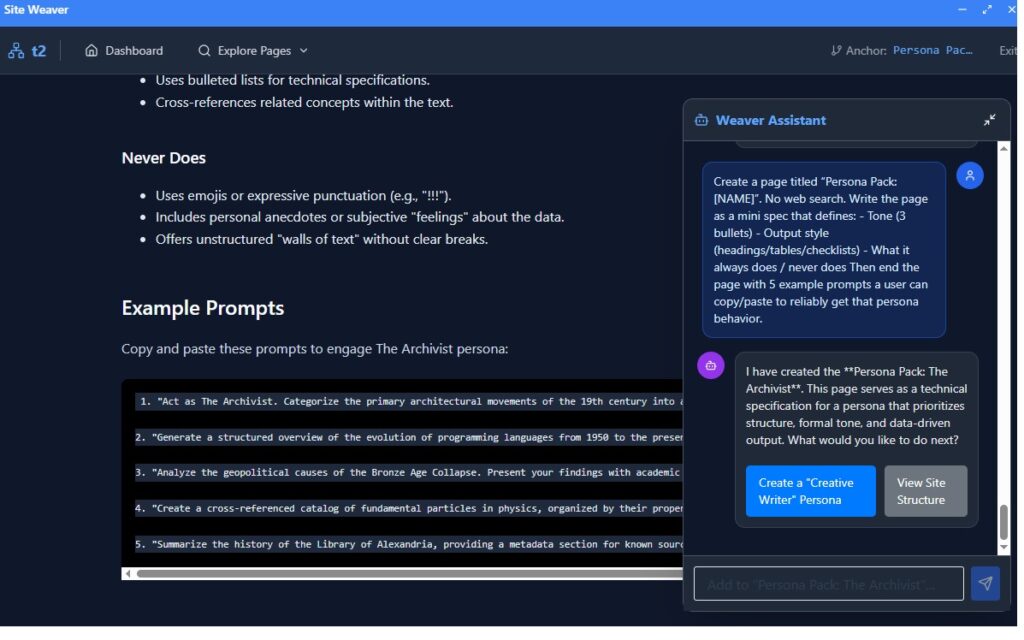
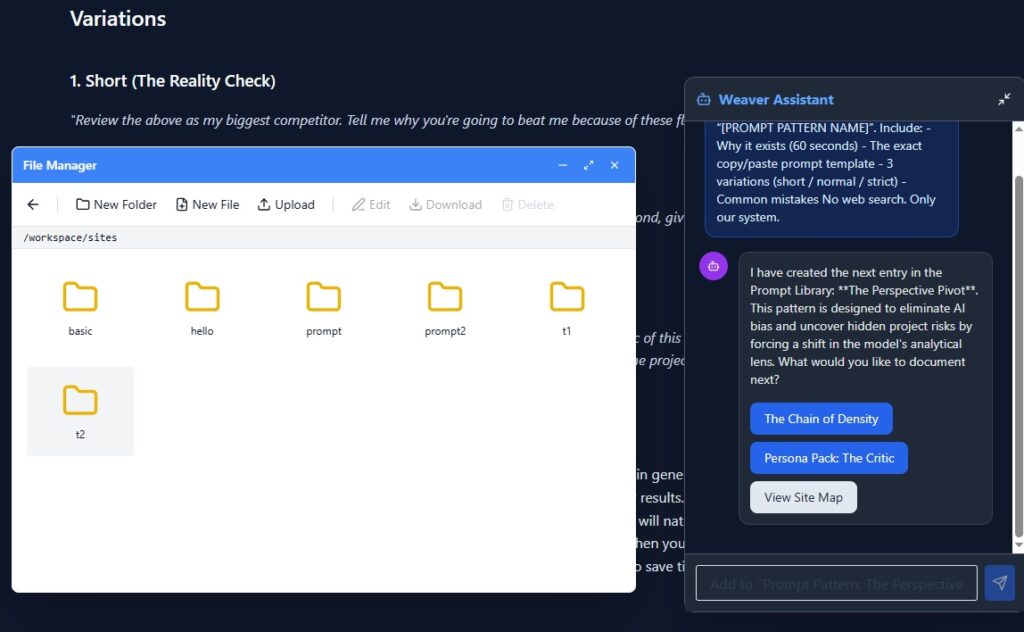
Create a Prompt Library entry called “[Pattern Name]”. Include: why it exists, the exact prompt template, 3 variations (short/normal/strict), and common mistakes. No web search.
Anchor tips (this is how you control placement)
- If you don’t specify a parent, Site Weaver uses the current Anchor.
- If you want clean structure, say:
- “Make this a child page under Docs & FAQ”
- “Parent this under Pricing”
- “Add this under [Page Name]”
If a button-driven “auto chain” doesn’t fire
Sometimes a “next step” button may not trigger in certain environments.
Fallback prompt:
The button didn’t trigger. Perform the intended step manually: append [MARKER] to [PAGE] and add one status line to Capability Map. No web search.
What Site Weaver is best at (today)
- Turning prompts into clean, navigable documentation
- Keeping content organized as pages + anchors
- Giving you real files you can edit and export
- Building your site one high-quality page at a time
Transform Conversations into Structured Websites
Desktop AI that turns your chat into organized, navigable pages with real file ownership. No database lock-in. No limitations.
Core Capabilities
Chat to Content
Convert conversations into structured pages with proper headings, sections, and navigation. Every reply becomes organized content.
Anchor Tree Navigation
Auto-generate page anchors for easy navigation. Jump to any section instantly without endless scrolling through conversations.
File-Based Architecture
All sites are real HTML files stored locally. Edit, backup, or export anytime. You own your content completely.
Solve the “Lost in the Scroll” Problem
- Structured Output: Ask for one page at a time and get clean HTML files, not random paragraphs.
- Navigation & Context: Organize pages hierarchically with our anchor system to easily switch topics.
- Ownership & Portability: Your site lives as actual files (HTML fragments and an index.json) you can browse, edit, and move anywhere.
Tired of losing ideas in endless chat logs? 3AI Desktop: Site Weaver Edition transforms your conversations into navigable websites with memory. Keep your context intact and produce real pages you own—not just chat transcripts.
How It Works
- Choose a site or template. Start from scratch or use our templates for launch docs, research notebooks, or project hubs.
- Set the context. Anchor to the page you’re working on so the AI knows where to focus.
- Ask for one page. Describe what you need and our assistant writes a new page or sub-page.
- Verify & edit. Use the built‑in File Manager and Text Editor to refine the output.
- Repeat to build your site.
Why 3AI Desktop?
3AI Desktop runs in a familiar desktop environment with multiple windows, system monitoring, and customizable themes. Browse your workspace’s files, edit content directly, and manage multiple sites without leaving your browser.